What is terraform ? cited from their documentation :
Terraform is a tool for building, changing, and versioning infrastructure safely and efficiently. Terraform can manage existing and popular service providers as well as custom in-house solutions.
For detail feature and other terraform offer, please refer to their concise and complete documentation.
Terraform has four main component :
- Providers : terraform can talk to back-end service providers, such as AWS, Digital Ocean, etc
- Resources : resources is building blocks of terraform configuration
- Variables : variables is to store all variables within terraform configuration. this will make terraform configuration will be more friendly and flexible
- Configuration : is *.tf extension file to store terraform configuration
This post won’t explain detail about feature, will only consist of two part :
- Installation and Basic configuration
- Test and Example to provision environment on AWS
Terraform Installation
Terraform installation is quite straight.
- Download installation archive here, and choose appropriate version depend on your system, in this post will demonstrate on Mac OS system. Linux could be similar.
- Extract downloaded zip, and copy terraform binary into folder will be set as terraform path, let say in /Users/kusumah/Documents/Development/terraform
- Set path , mine using .bash_profile

- Invoke command source ~/.bash_profile to update environment immediately
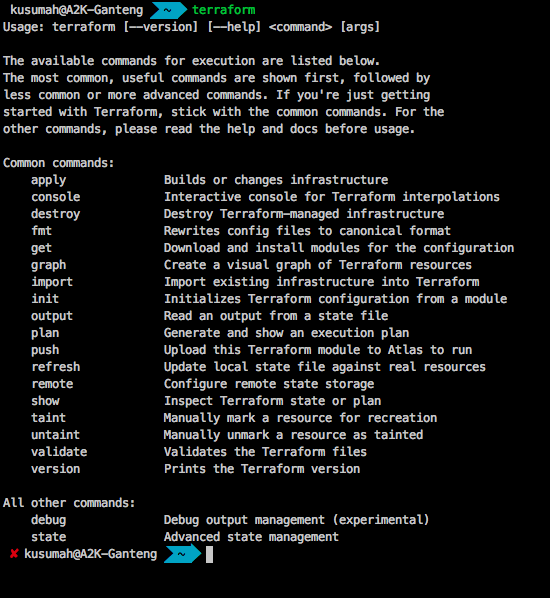
- Check installation with invoking terraform command, and if success, the output will be like this
Next step, will try spin up AWS server using terraform.
Terraform AWS
After finishing terraform installation, lets try to spin up simple AWS server using terraform.
- Create workspace directory, in this case i’ll create on /Users/kusumah/Documents/TUTORIAL/TERRAFORM/sample
- Create terraform configuration, lets named it as spinupserver.tf. below is my simple configuration:
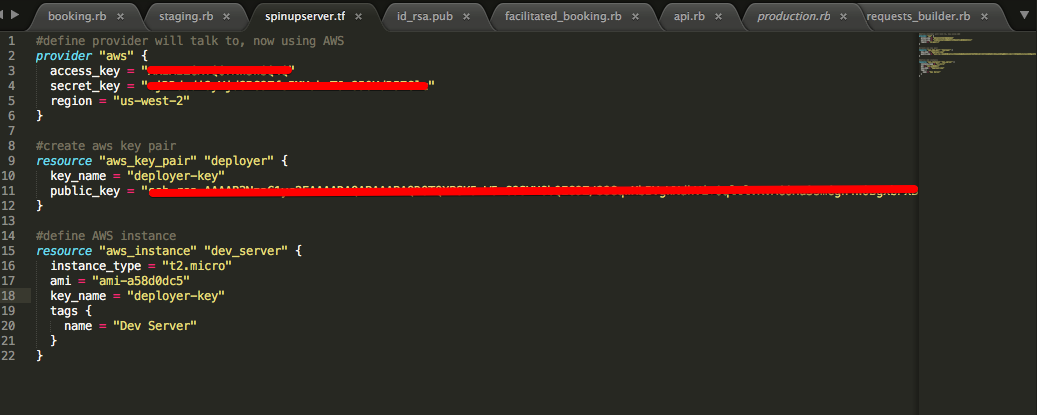 line 2-6, we define provider will talk to. in this case, we’ll use AWS. for access_key and and secret_key can be obtained from AWS. region, define what AWS region will be used. Line 9-12, we define AWS key pair to access created AWS instance. this consist of key_name and public_key. for generating public key in linux machine, can refer this link. Line 15-21, define aws instance type.
 - Save that file in our workspace directory
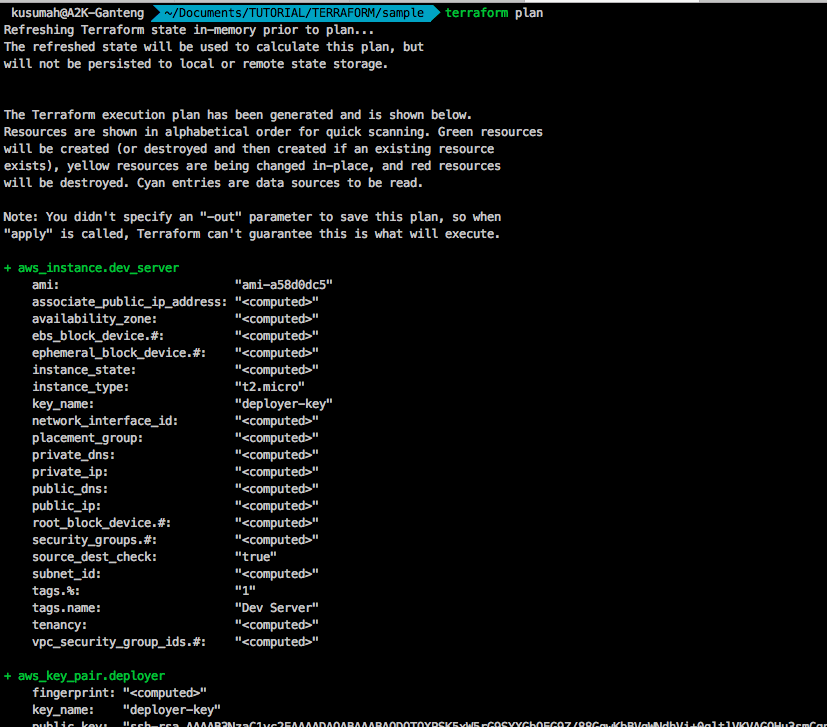
- Now Invoke command terraform plan , and the result when success, will look like this
- Now we can invoke terraform apply to apply the plan:
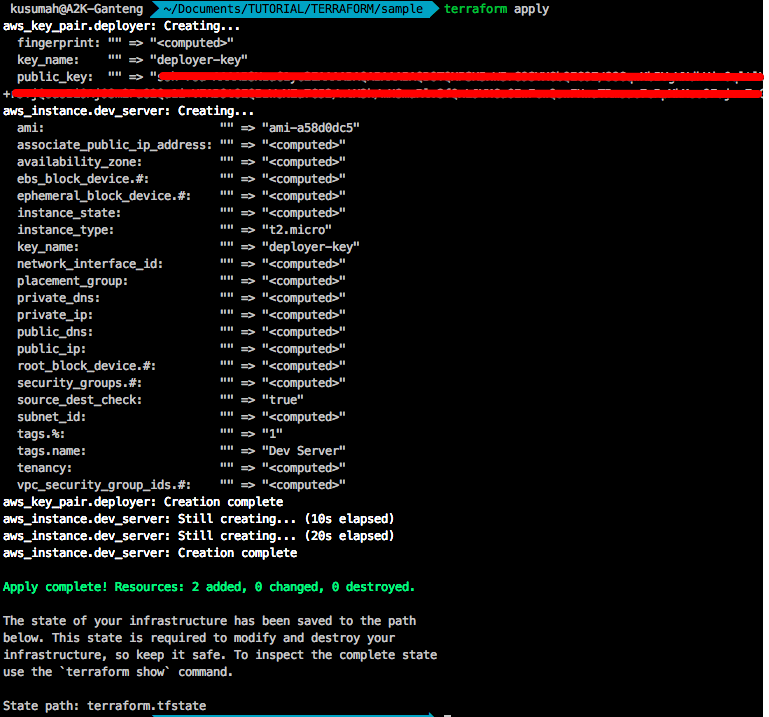
- and voila now, our new instance created successfully in AWS

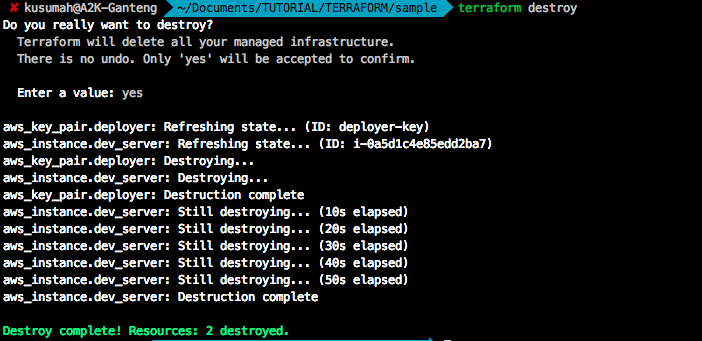
- To destroy current plan and terminated instance, just invoke terraform destroy, it will automatically terminated created instance defined in terraform configuration
in next post, will cover how to make terraform configuration more well structured, and we will try combine with Chef one of most popular configuration management tools among DevOps community (my opinion).
Jakarta, February 24th 2017
Aah Ahmad Kusumah
Thanks for the first part. Where is the next part?
I hadn’t thought of using containers but that’s a great idea. Thanks so much for sharing!