Upload multiple files is pretty easy when invoked manually, using command line or ftp client.
but a little bit tricky when we need to upload multiple file, scheduled, let say every 10 minutes.
Below, i’ll explain short step to make such mechanism using ftp client and cron , using unix machine.
Assumed, user ftp already created.
Step 1:
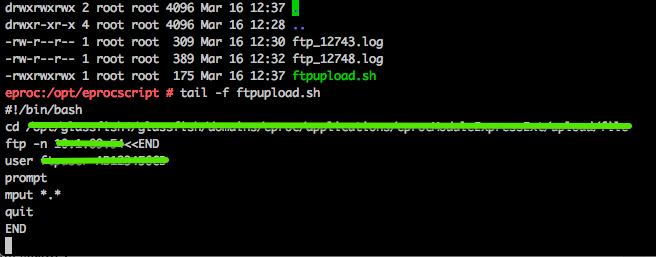
Lets create the script. obviously it just simple script :
#!/bin/bash
cd [Location of Files will be uploaded]ftp -n [ftp_server]<<END
user [username] [password]
prompt ##turn off interactive mode
mput *.* ##the command to upload all files inside folder
quit
END
Save it, for example in /opt/script/uploadftp.sh
add grant for execution to the script
Step 2 ;
Create Cron :
- invoke crontab -e
- insert */10 * * * * sh /opt/script/uploadftp.sh
- save then close
if needed, please restart the cron job.
And voila, now cron has been setup for executing ftp upload regularly every 10 minutes
for further reading about cron and configuration read this
Jakarta, 16 March 2015
A. Ahmad Kusumah