In this post, i’ll explain short brief how to integrate between bitbucket and jenkins as a part of continues integration cycle.
before reading this, assumed :
1. Jenkins has been installed on server
2. Bitbucket account and project has been created and configured properly.
what we have todo are :
Preparation :
Jenkins Part :
1. Install bitbucket plugins
2. Install Git Plugins
3. generate ssh keys using ssh-keygen command as jenkins user. On linux machine you could do this :
a. su – jenkins
b. ssh-keygen
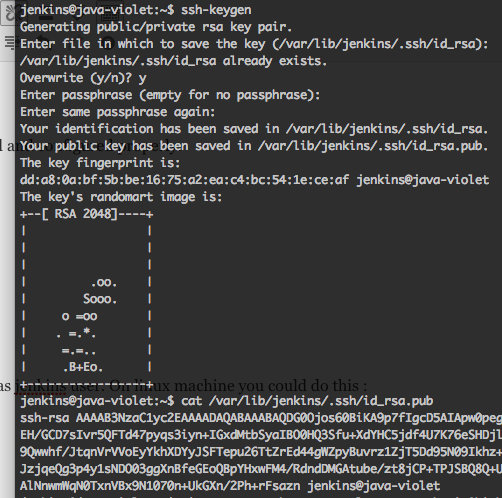
4. Copy id_rsa.pub content, generated on step 4 (this key will be used on bitbucket part, adding ssh keys section)
Bitbucket Part:
1. Setup a project, ie. named jenkin-testing
2. Add ssh keys to current project.
a. open setting
b. add ssh keys
c. give title, and paste ssh keys, generated on step 4 at jenkins part section above
3. Add hook to jenkins server , using POST hook
1. Open Hooks on setting section
2. select POST, then click Add HOOK
3. Insert url : jenkins_server:port/bitbucket-hook/
4. Save and close
Configuration :
Jenkins Part :
When Bitbucket setup is finished, try to clone project from bitbucket using jekins as user:
su – jenkins
git clone [email protected]/jenkin-testing.git
if succeed, then move to section below ..
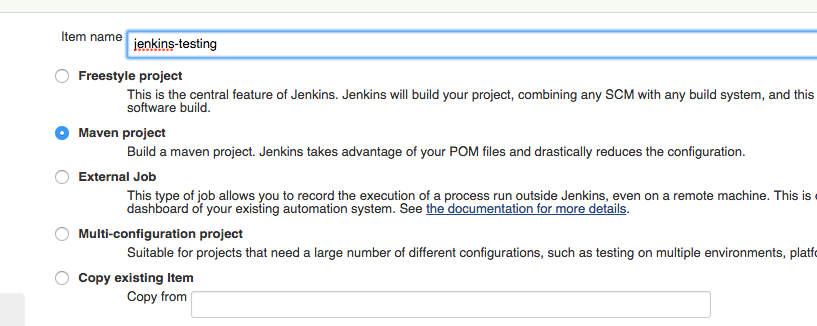
1. Setup new Item, select maven project, add project title
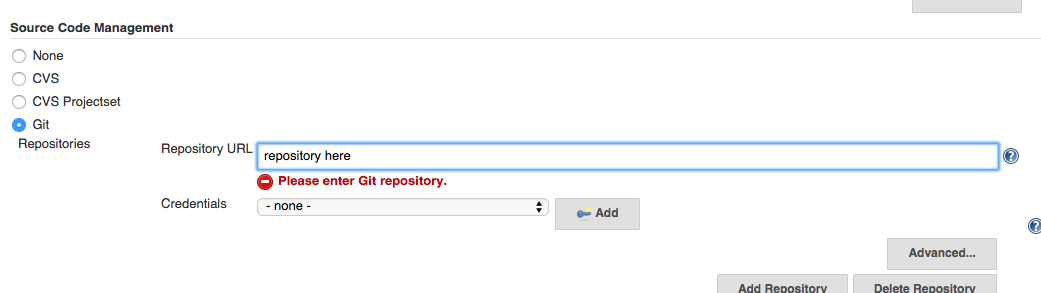
2. select Git on source code management
a. insert git url [similar to git clone]
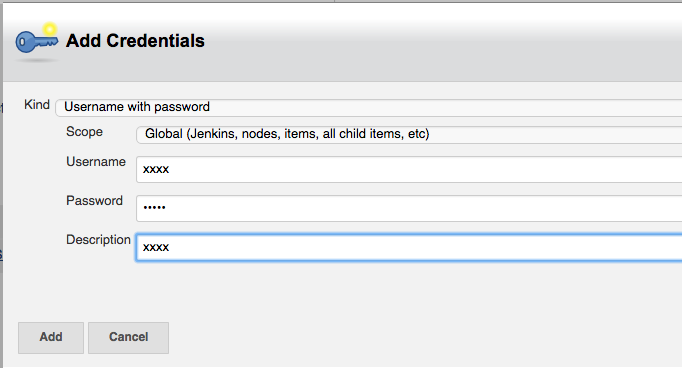
b. add credential [jenkins username and password ]
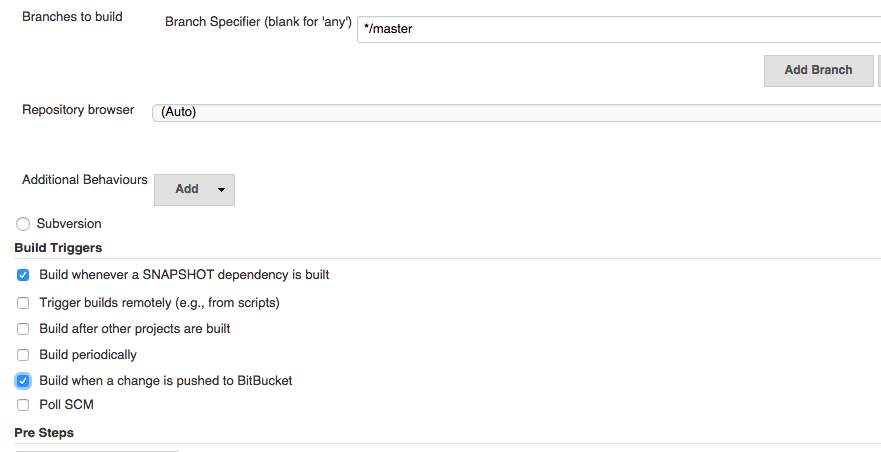
3. Defined branch to build [default master]
4. Then select Build when a change is pushed to BitBucket
5. Select Run Onlyif Build Succeeds
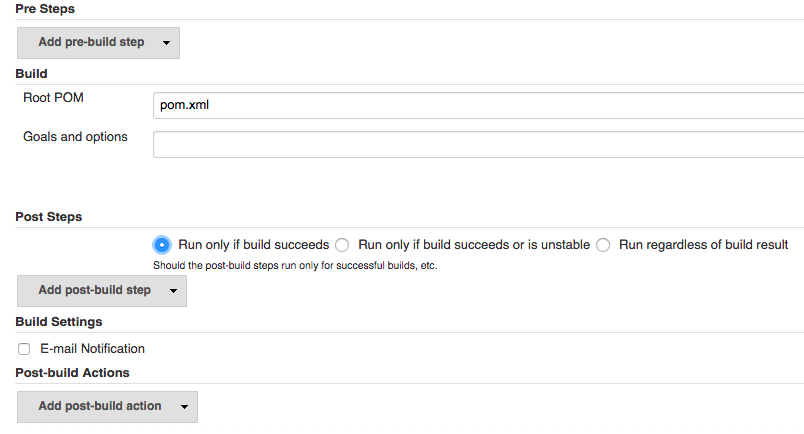
6. Then click Apply and Save
Now Jenkins and Bitbucket integration already to launch ..
Let’s take a test :
1. Clone jenkin-testing project
2. Make same Changes
3. The commit and Push changes to bitbucket
Then see what happened on Jenkins server, The Project Build Job will run immediately as changes Pushed to bit bucket ..
For Next Post, will explain how to integrate Jenkins Maven and Glassfish server integration ..
Jakarta, 22 February 2015
A. Ahmad Kusumah